




On-Page SEO Checklist for Revenue Pages: Fix the Pages That Should Be Bringing In Calls and Demos
If a page is supposed to bring in calls, consultations, quote requests, or demos, it should not behave like a brochure. It should rank for a high-intent query, answer the buyer’s real question fast, and make the next step painfully obvious. When that does not happen, you do not just lose traffic. You lose revenue.
This article is for marketing teams, founders, SEO managers, and operators working on service pages, city pages, feature pages, category pages, and comparison pages. It is especially useful for home services companies, multi-location brands, SaaS teams, law firms, healthcare marketers, and any business where one page can directly create pipeline.
At Content God, which stands for Content Generated on Demand, we recognize that our name has caused occasional mortal confusion. Forgive us. Then let us proceed with omniscient certainty into the real issue: most revenue pages are under-optimized not because they lack keywords, but because they lack intent alignment, proof, and a conversion path.

- 1. Match each revenue page to one primary high-intent query and one clear buyer job.
- 2. Write a title, H1, and opening section that immediately confirm the service, product, location, or comparison being offered.
- 3. Build the page around decision-making, not just explanation: benefits, proof, objections, FAQs, and next steps.
- 4. Cover the supporting subtopics buyers expect before they call or book a demo.
- 5. Add trust signals near the top and near every major decision point.
- 6. Strengthen internal links from blogs, service hubs, and related pages into your money pages.
- 7. Remove UX friction on mobile, forms, navigation, and contact options.
- 8. Place calls to action where intent peaks, not just at the bottom.
On-page SEO includes the page-level work covered in Google’s SEO Starter Guide, such as useful content, descriptive titles, clear site structure, internal links, and page elements that help people and search engines understand what a URL should rank for.
What does on-page SEO include? It includes keyword and intent alignment, titles, headings, page anatomy, semantic coverage, internal links, proof elements, structured data, and conversion design. For revenue pages, the goal is not just rankings. The goal is qualified action.
What improves on-page SEO? Better message-match, better organization, more complete topical coverage, stronger internal links, more credible proof, and less friction. In plain language, pages improve when they become easier to understand, easier to trust, and easier to act on.
What changed for 2026 planning

If you are refreshing your on-page SEO checklist for 2026, the biggest shift is mindset. Google keeps emphasizing helpful, reliable, people-first content and documents multiple ranking systems, which means isolated tricks matter less than whether a page actually satisfies the visit.
That is why advanced on-page SEO now looks more like page usefulness plus conversion architecture. The winners are not the pages with the most keyword repetitions. They are the pages that match intent, answer real objections, show proof, and make it easy to take the next step.
What counts as a revenue page in SEO
Service pages

Service pages target bottom-funnel queries with obvious commercial intent. Think “emergency AC repair,” “roof replacement,” “personal injury lawyer,” “virtual receptionist service,” or “patient scheduling software demo.”
A strong service page should make one promise clearly, explain who it is for, show why your version is credible, and offer a direct path to call, request service, or book a demo. If a service page is ranking but not converting, the issue is often the page itself, not the keyword.
City and location pages
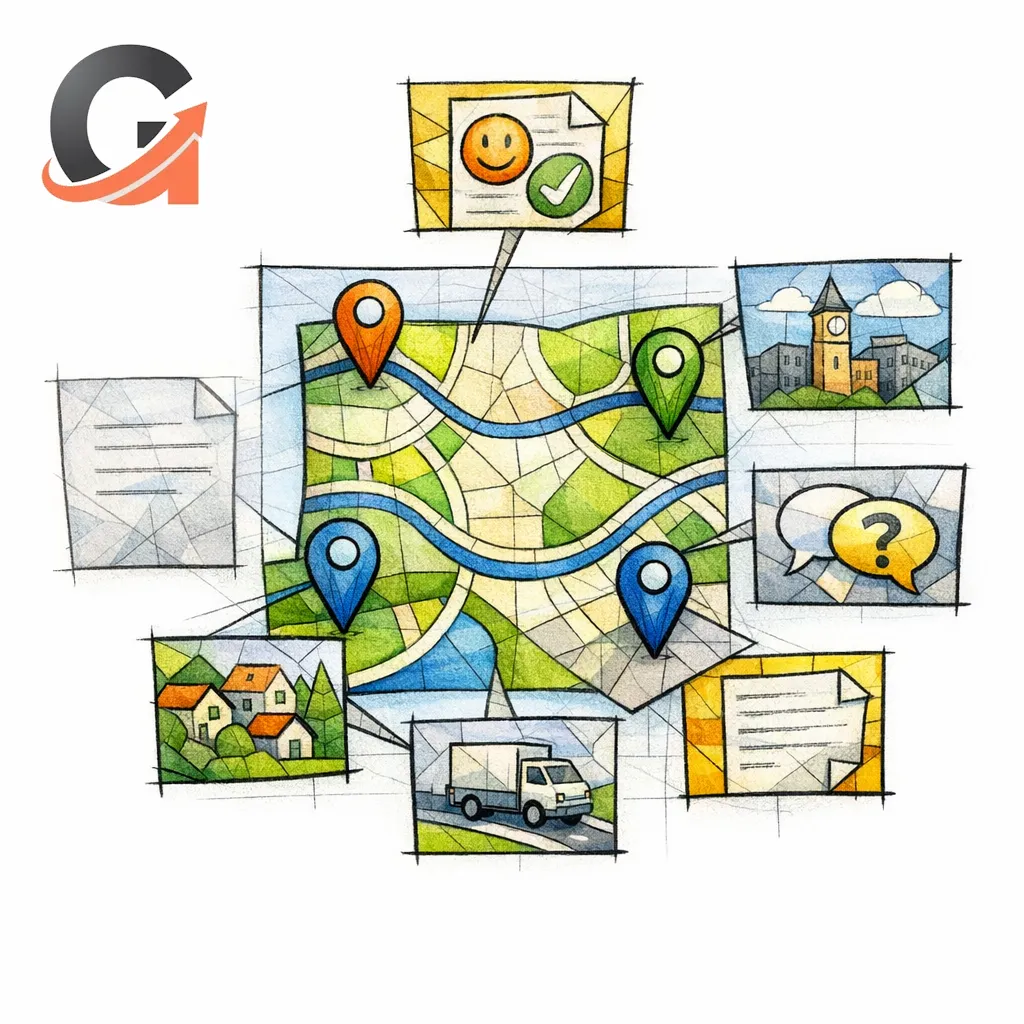
City pages and local landing pages are revenue pages when they target service-plus-location demand. For multi-location and service-area businesses, local intent matters because local results are influenced by relevance, distance, and prominence, so your page needs a real local reason to exist.
A good local landing page SEO strategy does not swap one city name for another and call it holy. It adds unique local proof, service specifics, service area details, testimonials from nearby customers, relevant landmarks, localized FAQs, and location-specific calls to action.
Feature, category, and comparison pages

Feature pages matter in SaaS landing page SEO because buyers often search by capability, not brand. Category pages matter in e-commerce because users search by product type, use case, or audience. Comparison pages matter because many buyers are already evaluating alternatives and want help making a choice.
These pages are often close to purchase intent, but they fail when they read like generic catalog copy. The page must make the choice easier, not harder.
The on-page SEO checklist for revenue pages

Primary keyword and search intent alignment

Start with one primary keyword per page, but do not stop there. Ask what the searcher actually wants to accomplish: call today, compare options, see pricing cues, evaluate fit, verify service area, or book a demo.
If the query is “water heater repair,” the page should sell repair, not drift into a broad plumbing overview. If the query is “medical billing software demo,” the page should not open with a company history sermon. Intent drift is one of the fastest ways to waste rankings on a page that should be bringing in leads.
Title tag, meta description, and URL slug
Your title tag should combine the core offer with the strongest modifier available: location, audience, speed, urgency, or differentiator. According to Google’s title link documentation, Search uses multiple signals when generating the title people see, so the safest approach is a concise, readable title that matches the visible page content.
Write the meta description like ad copy for a high-intent visitor. Google can generate snippets from page content or meta description tags, so your visible on-page copy should reinforce the same promise in case the snippet pulls from the body instead.
Keep the URL short, specific, and durable. A slug like “/ac-repair/phoenix/” or “/virtual-receptionist/” is easier to understand, share, and maintain than a bloated parameter-filled path.
H1, H2 structure, and page anatomy

Use one obvious H1 that states the offer. Then use H2s to walk the buyer through the exact questions that block action: what it is, who it is for, why choose you, how it works, what it costs or what affects price, what proof exists, and how to get started.
For lead generation pages, the basic anatomy is simple: clear hero, fast proof, short service summary, benefits, process, objections, FAQs, and repeated next-step prompts. For local landing page SEO, insert localized proof and service-area detail early, not as an afterthought at the bottom.
Semantic coverage and entity support

Do not confuse semantic coverage with writing more words. The point is to cover the related concepts a serious buyer expects to see before trusting the page.
For an HVAC service page, that may include emergency availability, common system types, financing cues, repair versus replacement guidance, warranty language, and neighborhoods served. For a SaaS feature page, it may include integrations, workflows, security expectations, implementation detail, and who inside the company benefits from the feature.
Internal links and anchor strategy

Your internal linking checklist should do more than pass vague authority around the site. As Google explains in its guidance on descriptive anchor text and crawlable links, the words used in links help people and search engines understand the destination, which means “learn more” is weaker than “emergency drain cleaning” or “legal intake software demo.”
Link into revenue pages from relevant blogs, location hubs, service clusters, comparison pages, and navigation elements. Then link laterally between related money pages so buyers can self-select into the right service, city, or package without getting stranded.
Proof elements: reviews, case studies, trust badges

Revenue pages should show evidence before the user has to hunt for it. That can include reviews, star excerpts, before-and-after examples, quantified case results, client logos, certifications, financing options, warranty language, awards, response-time promises, and photos of the real team or real work.
Match the proof to the page type. A city page needs local proof. A legal practice page needs practice-specific credibility. A healthcare software page needs compliance and implementation confidence. A category page needs product review signals and use-case guidance.
CTA placement for calls and demos
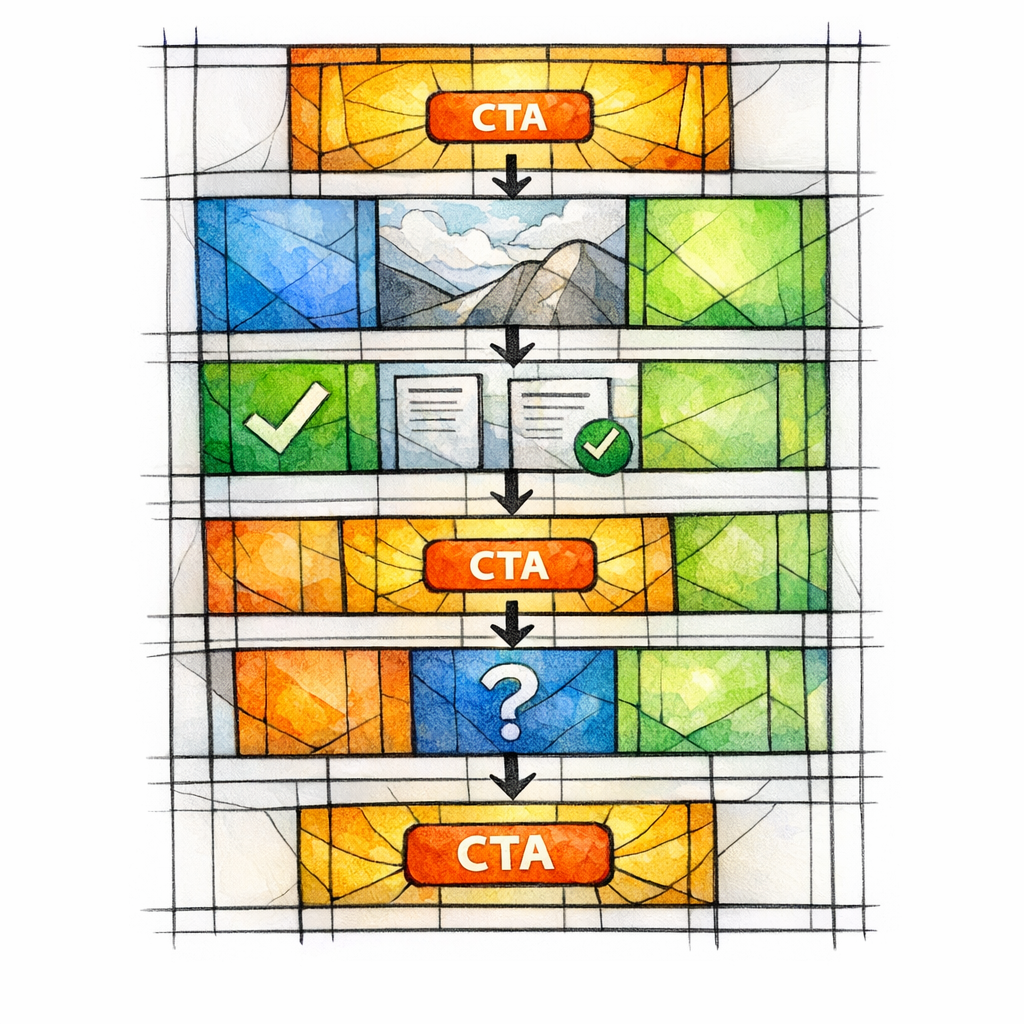
Do not hide your primary CTA at the bottom and hope the faithful scroll all the way to salvation. Put a clear call or form action above the fold, repeat it after major proof sections, and restate it near objections and FAQs.
Use one primary action per page whenever possible. A service page can prioritize “Call now” or “Request service.” A SaaS page can prioritize “Book a demo.” If you offer too many equally weighted options, you create hesitation instead of momentum.
UX friction: mobile, speed, forms, and navigation

Most revenue pages fail in small, ordinary ways. The phone number is hard to tap, the form asks too much, the sticky header covers the hero, the CTA color blends into the design, the city selector is confusing, or the page loads important proof too far down.
Reduce friction aggressively. Shorten forms, keep menus simple, make phone and demo actions visible, compress bloated media, and test the page on actual phones. For home services and legal especially, urgency often beats elegance.
Schema markup for service, local, and FAQ content
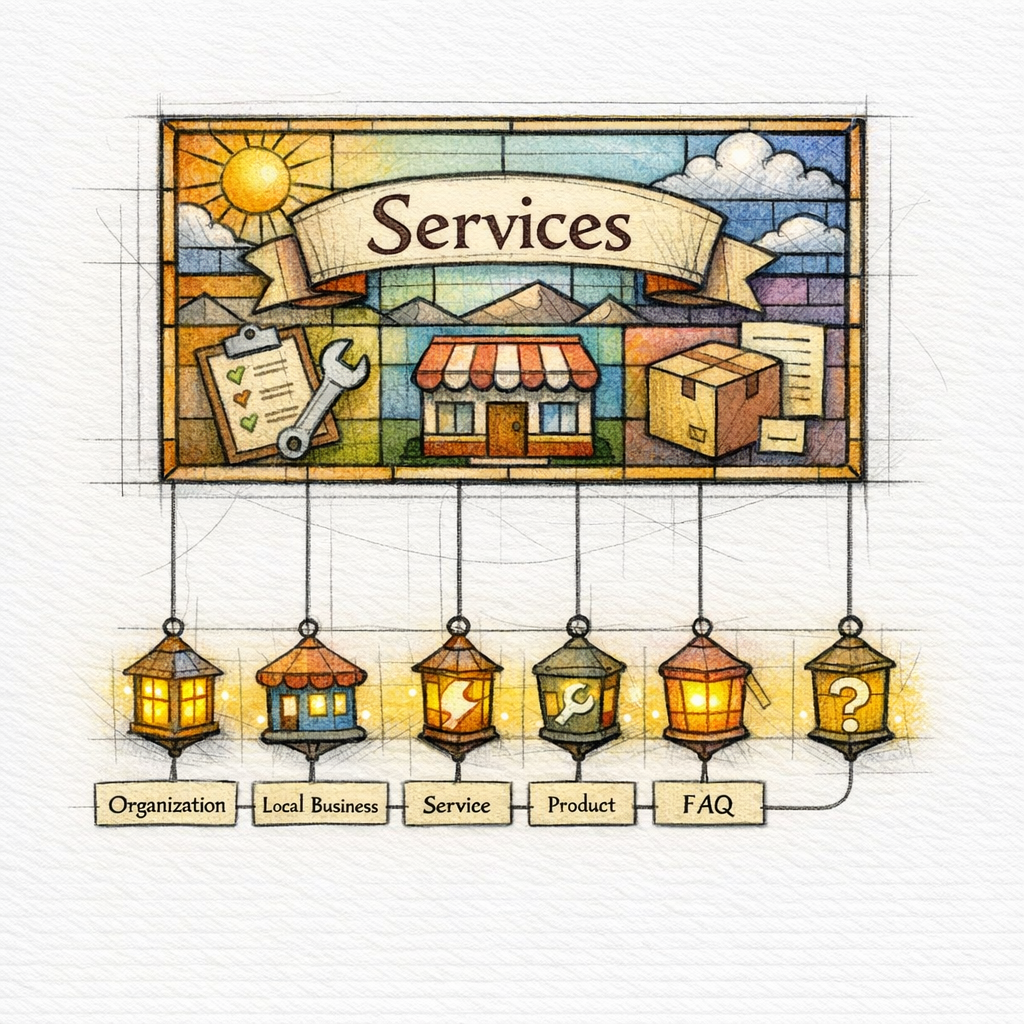
Schema is not a substitute for good copy, but it can help clarify what the page represents. In Google’s structured data guidance, markup is described as a way to help Google understand page content and make pages eligible for certain search features when the implementation matches the visible page.
For revenue pages, think practically: local business details, organization details, product or service context where appropriate, and FAQ content only when it is genuinely useful and clearly visible on the page. Mark up what exists. Do not invent structured data for miracles that are not on the page.
Checklist by page type
Service page SEO checklist
Use this service page SEO checklist for pages such as “AC repair,” “slab leak detection,” “car accident lawyer,” “pest control,” or “virtual receptionist service.” The goal is to convert a ready buyer, not impress another marketer.
- Target one primary service intent and name it plainly in the title, H1, and opening copy.
- State who the service is for and when someone should contact you.
- Lead with the main outcome: fast repair, booked consultation, reduced no-shows, better intake, lower response time, cleaner installs, or faster demo setup.
- Include service-specific proof near the top, not buried below generic company copy.
- Explain your process in a few clear steps so the next action feels safe.
- Answer the objections that stall conversion: price range cues, timing, availability, coverage area, insurance, warranties, integrations, or implementation effort.
- Repeat the primary CTA after proof and after FAQs.
- Link to adjacent services so visitors can pivot without returning to search.
Local landing page SEO checklist

Local landing page SEO lives or dies on specificity. A city page for “roof repair in Plano” or “family lawyer in Tampa” should sound like it belongs to that market, not like a template that had one noun changed in the dark.
- Use a location-qualified primary keyword and match it in the title, H1, and hero message.
- Describe the actual service area, response times, office or dispatch reality, and any location-specific logistics.
- Add local testimonials, local photos, neighborhood references, nearby landmarks, or city-relevant examples.
- Include service details that reflect local conditions, such as storm damage patterns, permitting issues, commute zones, or regional demand.
- Make the CTA local: call the local number, request service in that city, or book a consultation for that office.
- Link up to the broader service hub and across to nearby city pages only when that helps the user.
- Keep each page meaningfully different in copy, proof, FAQs, and examples.
Comparison and category page checklist

This checklist works for SaaS landing page SEO, e-commerce category pages, and high-intent comparison pages like “our platform vs competitor,” “live answering service vs voicemail,” or “standing desk converters category.” These pages must reduce decision anxiety.
- State exactly what is being compared or categorized in the title, H1, and intro.
- Clarify the use case and buyer type immediately, such as small law firms, multi-location clinics, or enterprise support teams.
- Organize sections around decision criteria: features, pricing model, implementation, support, fit, limitations, and ideal user.
- Use filters, subheads, or scannable bullets so users can compare quickly.
- Add proof that supports the comparison, such as customer outcomes, review language, screenshots, or category-specific expertise.
- Guide the user to the next step with a comparison-aware CTA: book a demo, talk to sales, see plans, request a quote, or view the best-fit option.
- Link to the underlying feature pages, service pages, or product detail pages that close the sale.
Common mistakes that suppress conversions
Thin near-duplicate location pages

The classic sin of multi-location SEO is publishing twenty city pages that say the same thing with different city names. Even when those pages get indexed, they often feel untrustworthy, interchangeable, and weak to real buyers.
If you manage multiple locations or service areas, create a repeatable structure but vary the substance. Change the proof, examples, FAQs, service conditions, imagery, and local context. Templates are fine. Copy clones are not.
Weak above-the-fold messaging

Too many revenue pages open with vague slogans, brand poetry, or generic claims about excellence. That forces the visitor to interpret what you do, who it is for, and whether they are in the right place.
Your opening section should answer three things immediately: what this page offers, who it serves, and what action to take next. If a first-time visitor cannot say those three things in five seconds, rewrite the hero.
Missing local proof and weak CTAs
Buyers do not convert because you used the exact keyword twelve times. They convert because the page feels credible and low-risk. That means proof must be visible and the CTA must feel obvious, specific, and timely.
A city page with no local testimonial, a service page with no case evidence, or a feature page with no implementation reassurance is asking the user for faith without doctrine. Add the proof. Then ask for the action clearly.
Quick audit workflow

What to review first
- Pages already ranking on page one or page two for high-intent terms.
- Pages with traffic but weak call, form, or demo conversion rates.
- Pages supporting major services, profitable locations, or strategic product features.
- Pages receiving internal links from high-traffic blog content but still underperforming.
What to fix this week
- Rewrite titles, H1s, and hero copy for tighter intent match.
- Add proof above the fold and near every major CTA.
- Shorten forms and make phone or demo actions easier on mobile.
- Improve internal links into key revenue pages using precise anchor text.
- Expand thin sections with objections, FAQs, pricing cues, and service specifics.
- Differentiate any duplicate-feeling city pages before scaling more of them.
FAQ for high-intent on-page SEO
Can we do SEO on a landing page? Yes, if the page targets a real query, contains indexable content, and serves a clear search intent. A landing page can rank well when it is not just a paid-media shell and actually helps a search visitor make a decision.
What is advanced on-page SEO? Advanced on-page SEO is not secret ritual language. It is the disciplined combination of intent mapping, semantic coverage, internal linking, trust signals, UX friction reduction, and conversion-focused page architecture.
Is local SEO worth it for service businesses? Yes, especially when calls and booked jobs come from specific service areas. For many home services, legal, healthcare, and regional brands, local landing pages are some of the highest-leverage assets on the site.
What is the 80/20 rule in SEO for revenue pages? Spend most of your energy on the small set of pages tied directly to revenue. A modest lift on a service page, city page, feature page, or comparison page usually matters more than polishing another low-intent blog post.
Get a Free SEO Audit Today

Content God means Content Generated on Demand. We admit the name may have sounded accidental at first. It is not accidental anymore. If your service pages need resurrection, your city pages need absolution from duplicate copy, or your demo pages need a cleaner conversion path, this is our kind of divine work.
Get a free SEO audit today! We will show you which revenue pages are underperforming, where intent and messaging are misaligned, how your internal links and proof stack up, and what to fix first for more calls and demos.
If you are tired of patching one page at a time, Content God can also handle the larger system: service pages, local landing pages, comparison pages, and the supporting blog and content pipeline that feeds them. Stop praying for better search results — download your free copy of the SEO Bible and learn the true path to SEO Salvation.